Single Browser Extension Could Hijack AI Assistants Across Chrome, Edge, Comet, Opera Neon and Claude
Forever Security researchers showed how a browser extension could hijack AI assistants across Chrome, Edge, Perplexity Comet, Opera Neon and Claude, potentially accessing files and sensitive browser capabilities.
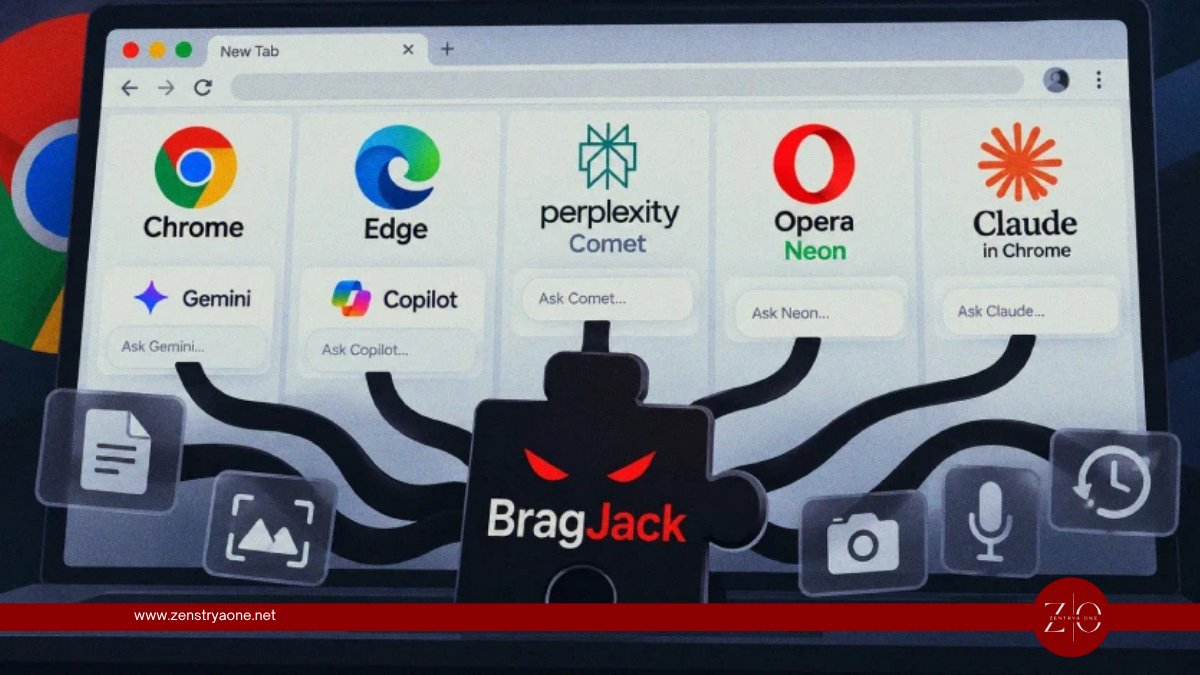
Security researchers have demonstrated a new class of browser attack in which a seemingly ordinary extension could potentially hijack powerful AI assistants integrated into modern Chromium-based browsers.
Researcher Gal Weizman of Forever Security demonstrated the technique against AI functionality in five products:
- Google Chrome with Gemini
- Perplexity Comet
- Microsoft Edge
- Opera Neon
- Claude for Chrome
The research shows that once a malicious or compromised browser extension is running, it may be able to manipulate the trusted communication channel used by an AI assistant and effectively turn the assistant's own capabilities against the user.
Depending on the affected product, demonstrations included controlling AI-agent actions, accessing local files and, in Chrome's case, interacting with the device's camera and microphone.
The findings are security-research demonstrations. There is currently no evidence presented in the research that attackers are exploiting the technique in widespread real-world campaigns.
The Core Problem: AI Assistants Have More Power Than Normal Webpages
Modern AI-enabled browsers are significantly different from traditional browsers.
An ordinary webpage operates inside a restrictive security environment.
An AI browser agent, however, may need capabilities such as:
Viewing webpages
Opening files
Reading page content
Navigating websites
Interacting with browser tabs
Performing actions for the user
Accessing cameras or microphones when authorized
This creates an architectural model that Forever Security describes conceptually as an AI having a “brain” and a “body.”
The AI model acts as the brain.
A privileged browser component acts as the body, giving the AI the ability to interact with the user's browser and potentially the underlying device.
The security challenge is ensuring that only trusted instructions can control that body.
One Extension Can Cross That Trust Boundary
Forever Security found that browser extensions can potentially interfere with this communication model.
The researchers demonstrated that an extension using only two relatively common browser capabilities could perform the attack:
- Permission to modify webpage content
declarativeNetRequest
These types of capabilities are not unusual.
Ad blockers, privacy tools, content modifiers and many other legitimate browser extensions may require similar access.
The problem emerges when an extension can manipulate the trusted webpage or communication mechanism through which the browser's AI receives instructions.
The attack can conceptually work like this:
User installs browser extension
↓
Extension runs with granted permissions
↓
Extension modifies trusted AI-facing browser content
↓
AI communication channel is manipulated
↓
Attacker-controlled instruction reaches AI agent
↓
AI interprets instruction as trusted
↓
AI's privileged capabilities execute the action
Instead of directly requesting sensitive permissions itself, the extension can potentially make the AI assistant perform the sensitive operation.
From Extension Permissions to AI Agent Control
This creates an important change in the security model.
Traditionally:
Extension permissions → Extension capabilities
With agentic browsers:
Extension permissions → AI assistant → AI capabilities
That second model can significantly increase the impact of a malicious extension.
An extension that would normally have limited access may potentially reach capabilities exposed through the AI agent.
The security issue is therefore not necessarily that the extension itself can directly access every sensitive resource.
Instead, it may manipulate a more privileged AI component into performing actions on its behalf.
Chrome: CVE-2026-0628
The Chrome implementation was tracked as:
CVE-2026-0628
with a CVSS score of 8.8.
Google patched the issue in Chrome 143.0.7499.192 in January 2026.
Forever Security demonstrated that the weakness could allow an extension to manipulate Chrome's Gemini-powered functionality.
The potential capabilities demonstrated in the research were particularly significant because Chrome's AI integration could interact with:
- Local files
- Camera
- Microphone
This meant the researchers could potentially transform an extension compromise into access to capabilities considerably beyond normal webpage interaction.
Local File Access Demonstrated
Researchers demonstrated local-file access against Chrome and Perplexity Comet.
This represents an important security boundary.
A normal website cannot simply browse arbitrary files on a user's computer.
Browser security mechanisms are specifically designed to prevent websites from freely accessing local files.
But an AI assistant designed to help users work with local content may legitimately possess functionality for opening or processing files.
If an attacker can control that assistant, the attacker may indirectly reach those capabilities.
The attack model becomes:
Malicious extension
→ Hijacked AI assistant
→ AI accesses local file
→ Sensitive information becomes exposed
This could potentially place documents, development files and other locally stored information at risk, depending on the permissions and design of the affected assistant.
Camera and Microphone Access Demonstrated in Chrome
The Chrome demonstration went even further.
Forever Security showed that the hijacked AI functionality could be manipulated into activating the computer's camera and microphone.
This demonstrates why AI-agent security boundaries are becoming increasingly important.
The extension does not necessarily need direct permission for every sensitive operation if it can influence another trusted component that already possesses those capabilities.
This resembles a form of confused-deputy problem, where a trusted component with greater privileges is manipulated into performing actions on behalf of a less-trusted component.
AI Agent Control Across Multiple Browsers
Forever Security demonstrated related techniques against:
Perplexity Comet
Microsoft Edge
Opera Neon
Claude for Chrome
In the Comet, Edge, Opera Neon and Claude demonstrations, researchers showed that the extension could drive AI-agent functionality to perform attacker-directed actions.
The exact capabilities differed between products.
That distinction matters because the research does not establish that every affected assistant exposes identical functionality.
For example:
| Product | Demonstrated Impact |
|---|---|
| Chrome / Gemini | AI control, local-file access, camera and microphone interaction |
| Perplexity Comet | AI-agent control and local-file access |
| Microsoft Edge | AI-agent manipulation |
| Opera Neon | AI-agent manipulation |
| Claude for Chrome | AI-agent manipulation |
The broader problem, however, was consistent: an extension operating inside the browser could interfere with the trust relationship between the browser and its AI assistant.
Why Traditional Extension Permissions May No Longer Be Enough
Browser-extension security models were largely designed before browsers contained autonomous AI agents.
Historically, users could evaluate an extension based on permissions such as:
Read and change website data
or capabilities involving request modification.
But an AI-enabled browser changes the consequences of those permissions.
Suppose an extension can modify a webpage trusted by an AI agent.
And suppose the AI agent can:
Read local files
Interact with websites
Send messages
Access authenticated sessions
Operate cameras
Use microphones
Then the effective power of the extension may become much greater than what the permission prompt originally communicates.
This creates a new security question:
Should extensions be allowed to modify the same interfaces trusted by privileged AI agents?
The AI Becomes a Confused Deputy
The research highlights a classic cybersecurity problem in a new environment: the confused deputy.
Imagine:
Component A: Browser extension
Low trust / limited privileges.
Component B: AI agent
High trust / powerful privileges.
If Component A can send instructions that Component B mistakenly considers trusted, the attacker may effectively inherit Component B's capabilities.
The attacker does not necessarily break the AI model itself.
Instead, they manipulate the mechanism used to communicate with it.
That distinction is important.
The vulnerability is fundamentally about trust boundaries and authorization, not about the AI becoming malicious on its own.
A Malicious Extension Must Already Be Installed
The research also has an important prerequisite.
The attacker needs a malicious or compromised extension already running inside the victim's browser.
This is not a scenario where merely visiting any website automatically compromises every AI browser.
A more realistic attack sequence would be:
User installs malicious extension
or
Existing trusted extension becomes compromised
↓
Extension receives browser permissions
↓
Extension interacts with AI trust channel
↓
AI assistant hijacked
↓
Privileged AI capabilities abused
This makes extension security a critical defensive layer.
Why Compromised Legitimate Extensions Matter
Attackers do not necessarily need to convince users to install an obviously malicious extension.
A legitimate extension could potentially become dangerous if:
- Its developer account is compromised
- Its update infrastructure is hijacked
- The extension is sold to a malicious operator
- A malicious update is published
- Its dependencies are compromised
This type of supply-chain compromise has occurred repeatedly within browser-extension ecosystems.
AI-enabled browsers potentially increase the impact because a compromised extension may now have another high-value target inside the browser:
the AI agent itself.
No Evidence of Active Exploitation
Forever Security's findings are proof-of-concept security research, not evidence of an active attack campaign.
The demonstrations establish that the security boundaries could be crossed under the tested conditions.
They do not establish that attackers have already exploited these techniques against users in the wild.
This distinction is important when assessing the current risk.
The findings should therefore be treated as an architectural warning for browser and AI developers rather than evidence of an ongoing mass compromise.
What Users Should Do
Users of AI-enabled browsers should pay particular attention to installed extensions.
Recommended actions include:
- Keep browsers updated.
- Keep AI extensions updated.
- Remove extensions that are no longer required.
- Avoid installing extensions from unknown developers.
- Review permissions requested by extensions.
- Minimize extensions capable of modifying every website.
- Review extensions after major browser or AI updates.
- Avoid unnecessary extensions on systems containing highly sensitive information.
- Use enterprise extension allowlisting on managed endpoints.
Chrome users should ensure they are running a version containing Google's fix for CVE-2026-0628 or a newer supported release.
Enterprise Security Teams Should Control Extensions
Organizations deploying AI-enabled browsers should consider browser extensions part of their AI security strategy.
Enterprise administrators can implement:
Extension allowlisting
Only explicitly approved extensions can execute.
Permission monitoring
Extensions requesting broad website access should receive additional scrutiny.
Extension inventory
Security teams should know which extensions are installed across managed endpoints.
Developer verification
Organizations should evaluate extension publishers and update histories.
Rapid revocation
Security teams should be able to remotely disable a compromised extension.
Browser telemetry
Unusual extension activity should be correlated with browser and endpoint events.
Organizations should also evaluate whether sensitive users need every available AI-agent capability enabled.
Browser Developers Need Stronger Isolation
The deeper solution needs to come from browser and AI-platform architecture.
A privileged AI assistant should not assume that content originating from a trusted webpage is trustworthy if another extension can freely modify that page.
Security controls should distinguish between:
User-generated instruction
Website-generated content
Extension-generated content
AI-generated content
External tool output
These sources should not automatically receive the same level of trust.
AI agents also need strong authorization boundaries before performing sensitive operations.
Actions involving:
- Local files
- Camera
- Microphone
- Credential stores
- Account settings
- Financial transactions
- Sending messages
- Downloading or uploading files
should receive additional security controls appropriate to their risk.
Security Takeaway
Forever Security's research demonstrates a fundamental challenge facing the next generation of web browsers.
Browser extensions were designed to modify webpages.
AI assistants are being designed to act on behalf of users.
Combining those two capabilities creates a new security boundary.
If an extension can manipulate the interface trusted by an AI assistant, the extension may potentially turn the assistant's privileged capabilities against the user.
The attack can therefore transform:
Ordinary Browser Extension
into:
Extension → AI Agent → Privileged Browser Actions
The research does not show that AI browsers are currently being compromised at scale, and the attacker still needs an extension running in the victim's browser.
But it demonstrates why browser-extension permissions that were acceptable in the pre-agentic web may carry significantly greater risk when an AI assistant can access files, authenticated services, sensors and other sensitive resources.
As browsers evolve from passive tools into autonomous agents, their security architecture must evolve with them.
The critical principle is simple:
An AI agent should never automatically trust something merely because it came from inside the browser.
Related reporting

Warlock Exploits SharePoint Flaws to Disable Security Tools and Deploy Ransomware
Warlock ransomware attackers exploit Microsoft SharePoint vulnerabilities to gain initial access, disable security tools and distribute ransomware across critical infrastructure networks.

Apple CoreGraphics Zero-Day PoC Emerges as WhatsApp PDF Checks Raise Delivery Questions
A public PoC for Apple CoreGraphics CVE-2026-86950 demonstrates memory corruption through a malicious PDF, while new WhatsApp PDF protections raise questions about a possible delivery path.
Kiteworks Fixes Critical Vulnerability Discovered During Emergency Shutdown
Kiteworks patched a previously unknown critical vulnerability discovered during a nine-hour precautionary shutdown prompted by intelligence about a potential cyberattack, with no evidence of exploitation.